Update (21/06/2026): We have plenty of stock of all our products, find us also in and    How to get a quotation

Tutorials

cover for Tutorials FieldBee

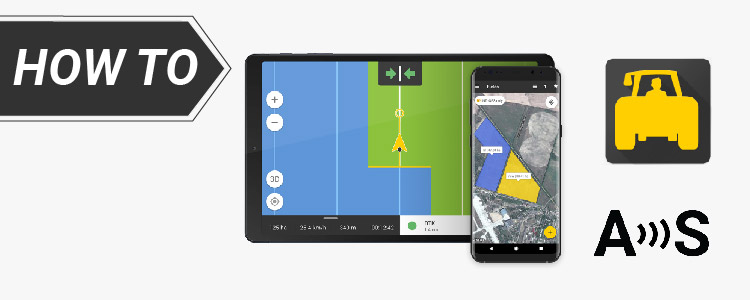
How to use ArduSimple RTK receiver with FieldBee tractor GPS navigation app

FieldBee tractor GPS navigation app is a professional application for tractor parallel guidance, record keeping, mapping and tractor auto steering with high precision. You can use FieldBee app with non-FieldBee GPS systems like ArduSimple RTK starter kits. In this tutorial we will show you how to use ArduSimple RTK receivers with FieldBee. Required hardware: simpleRTK2B – […]

How to use ArduSimple RTK receiver with FieldBee tractor GPS navigation app Read More »

how to build a layout with baserover cover

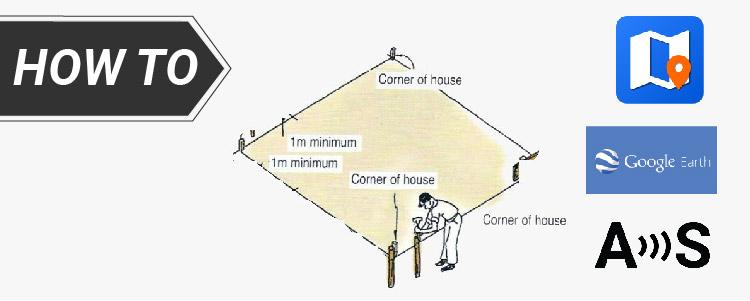
How to export your control points to SW Maps and stake them out on the site

Have you done a survey of your land property to measure reference points, property boundaries, tree locations and designed the building for your site? Now, the next challenge arises: using your reliable RTK kit to accurately stake out the building corners on the site. Surveyed corners or control points create a consistent coordinate system, crucial

How to export your control points to SW Maps and stake them out on the site Read More »

cover for Tutorials field navigator

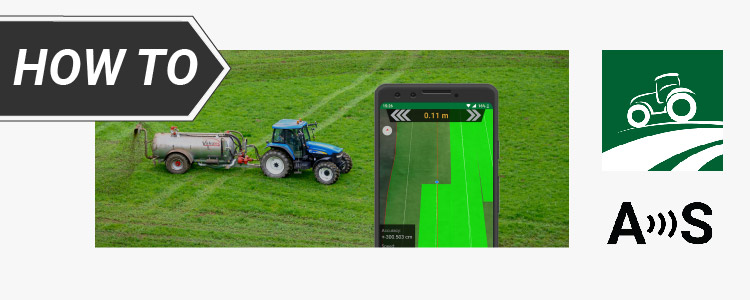
How to use Field Navigator with ArduSimple RTK receiver for Enhanced Precision

Field Navigator allows connecting external receivers. But RTK receivers require access to a base station or a correction service to achieve centimeter accuracy, and this feature is not supported by Field Navigator. But no worries, as we have alternative methods to overcome this limitation. By using mock location on your Android device An economical choice

How to use Field Navigator with ArduSimple RTK receiver for Enhanced Precision Read More »

geocatchingcover

How to play Geocaching with centimeter level accuracy on Android devices

Geocaching is an outdoor treasure hunting activity using GPS devices. Participants navigate to specific coordinates to find hidden containers called geocaches. It combines technology, exploration, and community, offering an exciting way to engage with the outdoors and discover hidden gems worldwide. GPS-enabled smartphones typically offer an accuracy of about 5 meters (16 ft) with an

How to play Geocaching with centimeter level accuracy on Android devices Read More »

how to use pointperfect on Android cover

How to use PointPerfect augmentation service with any Android App

In this tutorial we will explain how to use PointPerfect on your Android devices. PointPerfect is u-blox PPP-RTK GNSS augmentation data service which delivers centimeter-level accuracy in seconds on a continental scale. In this tutorial we will use GNSS Master app because it has built in PointPerfect capability to send corrections directly to your GNSS receiver. Note:

How to use PointPerfect augmentation service with any Android App Read More »

How to connect RTK receiver to iOS device (iPhone or iPad) via BT+BLE Bridge?

In this tutorial you will learn how to connect your GNSS/RTK receiver (simpleRTK2B, simpleRTK3B or any other receiver) to any iOS device. With ArduSimple BT+BLE Bridge module, you will be able to connect your ArduSimple receiver to an iOS device (iPhone, iPad or iPod touch) via Bluetooth low energy (BLE) and use it with compatible

How to connect RTK receiver to iOS device (iPhone or iPad) via BT+BLE Bridge? Read More »

Introducing GNSS Master app

Dear GNSS Enthusiasts, We are thrilled to announce the launch of our first app: GNSS Master, designed to elevate your GPS experience to new heights. With GNSS Master, you now have the power to unleash the full potential of your external GNSS receiver, enabling you to achieve unparalleled accuracy and customization like never before. Let’s

Introducing GNSS Master app Read More »

How to connect, configure GPS Receiver and update firmware with u-center

How to connect, configure GPS Receiver and update firmware with u-center

If you’re looking to connect and configure your GPS receiver using u-center software, you’ve come to the right place! We prepared easy videotutorials to guide you through the process, from connecting your GPS receiver to your computer to updating its firmware and customizing the screen layout in u-center. Required hardware: RTK receiver a USB cable

How to connect, configure GPS Receiver and update firmware with u-center Read More »

Got any questions or requests?
Contact us! We'll answer <24 hours!

Icon
Contact ArduSimple
Close
ArduSimple – high precision RTK survey equipment and solutions made simple

Want to learn more about GPS and RTK?

If you are busy right now, our engineers can send you 3 short e-mails, explaining all you need to know to start your project.